How it works
Dillo Backup runs on your computer: a small local service handles backups, and you control everything through a dashboard in your browser. Your files never leave your machine unless you copy them to a drive or folder you choose.
Your Data. Your Drive. Your Peace of Mind.
Dillo Backup protects your creative work at local network speed. Professional data security. No cloud uploads. No subscriptions.
Local speed
No cloud bottleneck
100% private
Your data stays yours
Lifetime access
Buy once, own forever
14-day refund
No questions asked
Features
Your data stays on your hardware. No cloud servers, no telemetry, no third-party access. Total control over every byte.
Back up at SSD and local network speeds. No upload queues, no throttling.
Only copies what changed. Compares timestamps and file sizes — no redundant work.
Plug in your drive and backups start automatically. No manual clicks required.
Do not just back up; go back in time with historical versions in a mirrored tree.
If multiple jobs use the same drive, they wait their turn to help protect the hardware.
Handles massive RAW files, project folders, and asset libraries with ease.
Buy once, own it for life. No monthly fees, no storage tiers, no surprise charges.
App Preview
A clean dark desktop UI built for focus — no clutter, no cloud chrome.
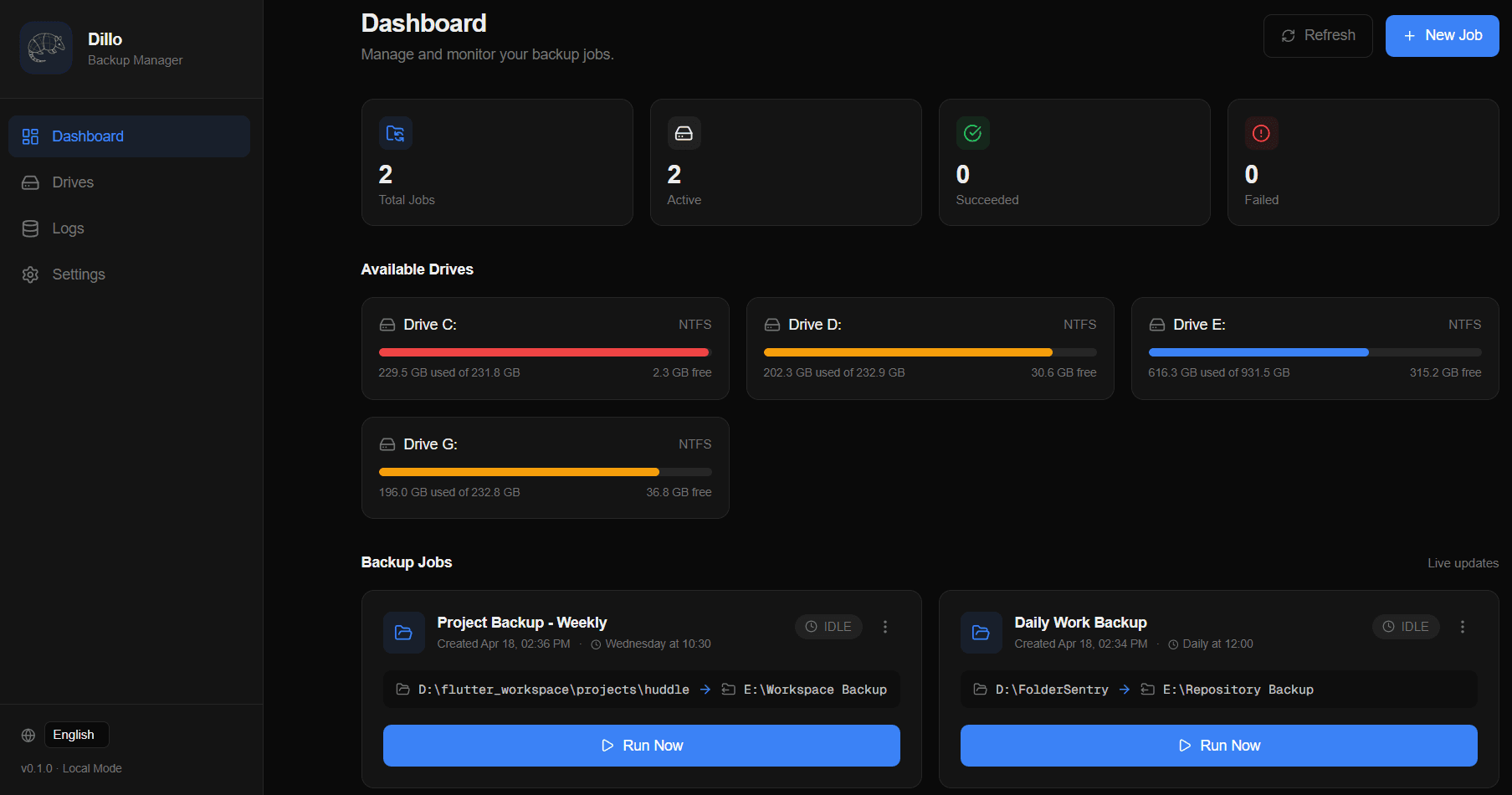
The main view: jobs, health, and quick actions at a glance — all running locally on your machine.
How It Works
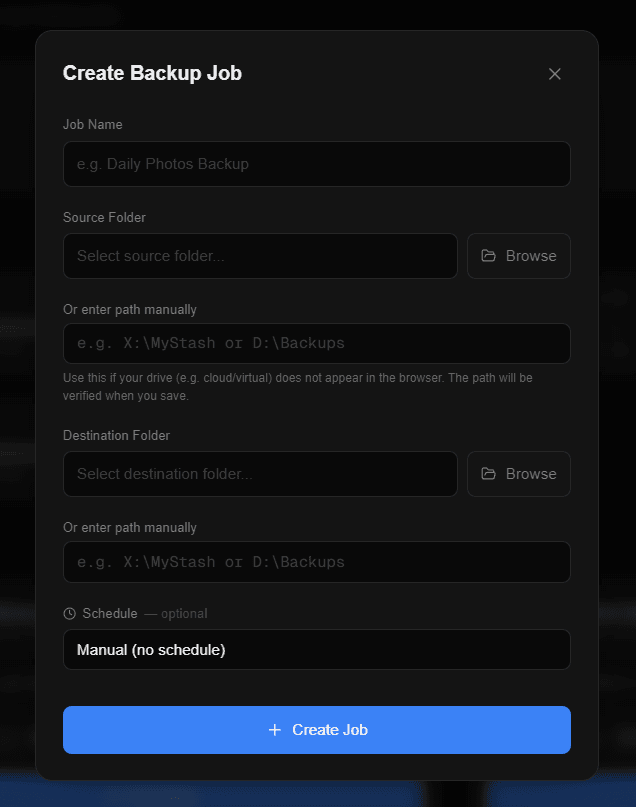
Select what matters: photos, code, or your entire user folder.
Point Dillo Backup to your external SSD or NAS.
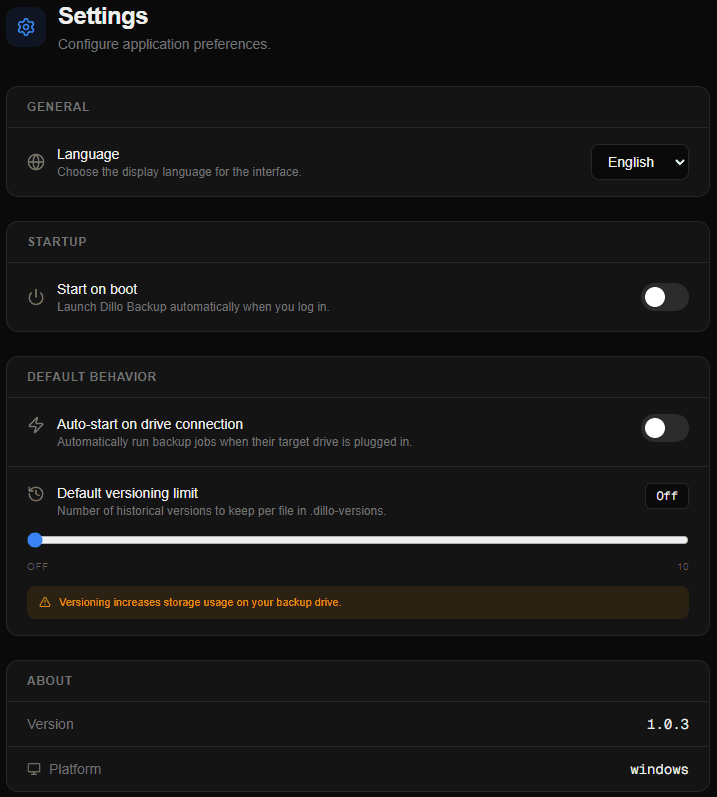
Toggle "Auto-Wake" and simply walk away. The next time you plug that drive in, the armadillo handles the rest and pings you when it is safe to unplug.
First Steps
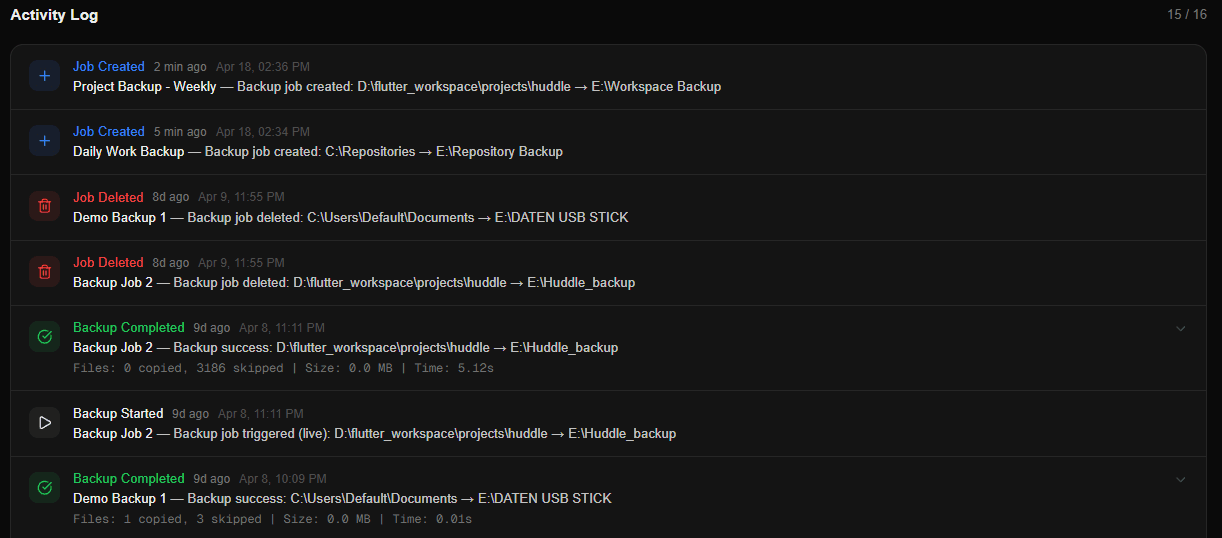
A quick tour of the app after you install — where the dashboard lives, how to create a job, and where to tweak auto-start.
Dillo Backup runs on your computer: a small local service handles backups, and you control everything through a dashboard in your browser. Your files never leave your machine unless you copy them to a drive or folder you choose.
When you launch Dillo Backup, it usually opens the dashboard for you. If not, open http://localhost:3000 in your browser while the app is running.
On the dashboard, create a new backup job. Pick the folders you want to protect as the source, then choose a destination on another drive, external disk, or NAS path. Set a schedule or run backups manually — Dillo Backup only copies what changed.
Open Settings from the sidebar and use the auto-start toggle to launch Dillo Backup when you log in — or turn it off if you only want to run it sometimes.
Pricing
One-time purchase. No subscriptions. No storage tiers.
One-time price
Professional local-first backup for creative work, with the security controls you expect and no recurring subscription.
Built for files that cannot go missing.
14-day 'no questions asked' refund policy.
Contact
Leave feedback, report issues, or send feature suggestions. Every message goes directly to me.